
[Configurable Products] Custom fields and script setup for NS Connector
In order to make Rocket Web connector work with Matrix in NetSuite and map it to the Configurable Products in Magento, some additional settings of the NS project should be done.
They should be done before initial product import to Magento using RocketWeb Connector
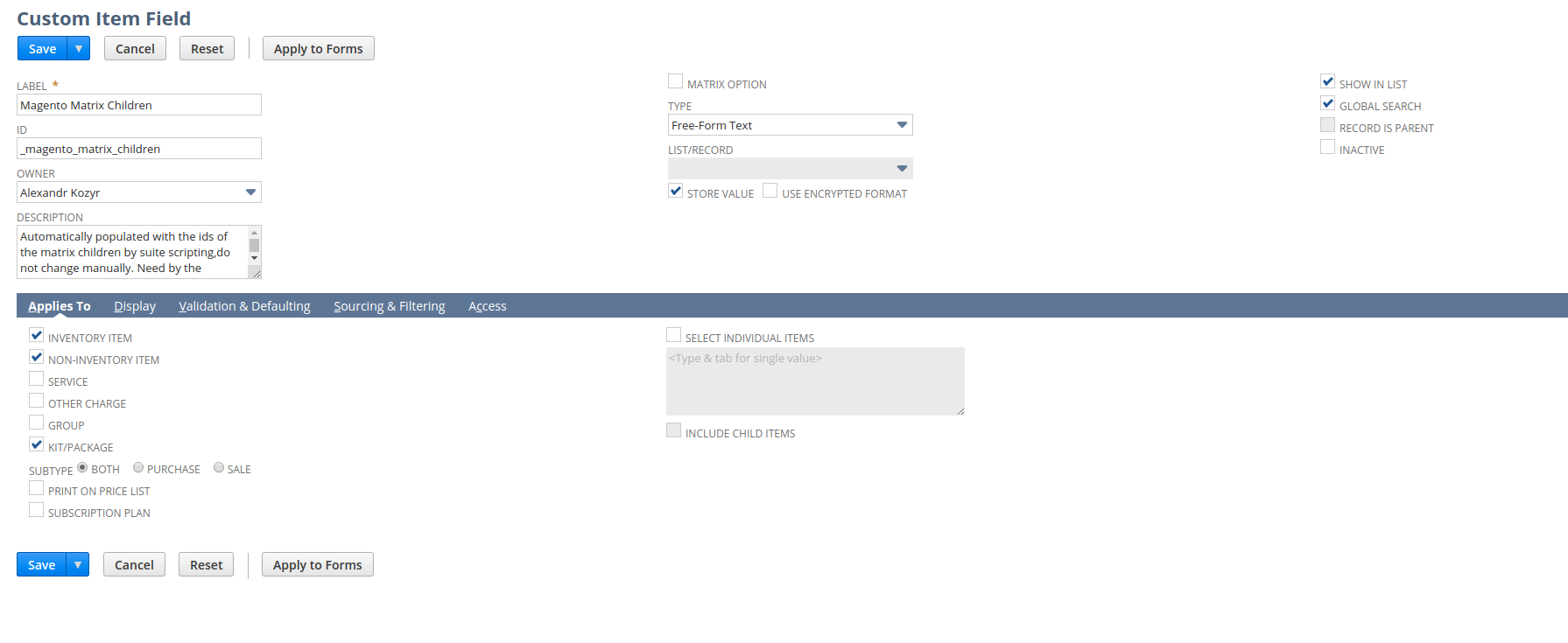
- Create an additional custom field - Magento Matrix Children
- navigate to Customization→Lists, Records, & Fields→Item Fields→New
- add information for the custom Item field:
- Label - Magento Matrix Children;
- ID - _magento_matrix_children
- Owner - you;
- Description - "Automatically populated with the ids of the matrix children by suite scripting,do not change manually. Need by the Magento Connector.";
- Type - Free-Form Text;
- Check "Show in List" and "Global Search" checkboxes;
- Tab "Applies To" - check "Inventory Item, Non-Inventory-Item,Kit/Package";
- Tab "Display" - choose the position for the field (Subtab, Insert Before) and add help message - "Automatically populated with the ids of the matrix children by suite scripting, do NOT change manually. Need by the Magento Connector."
- as a result you should have next form -
- save it.
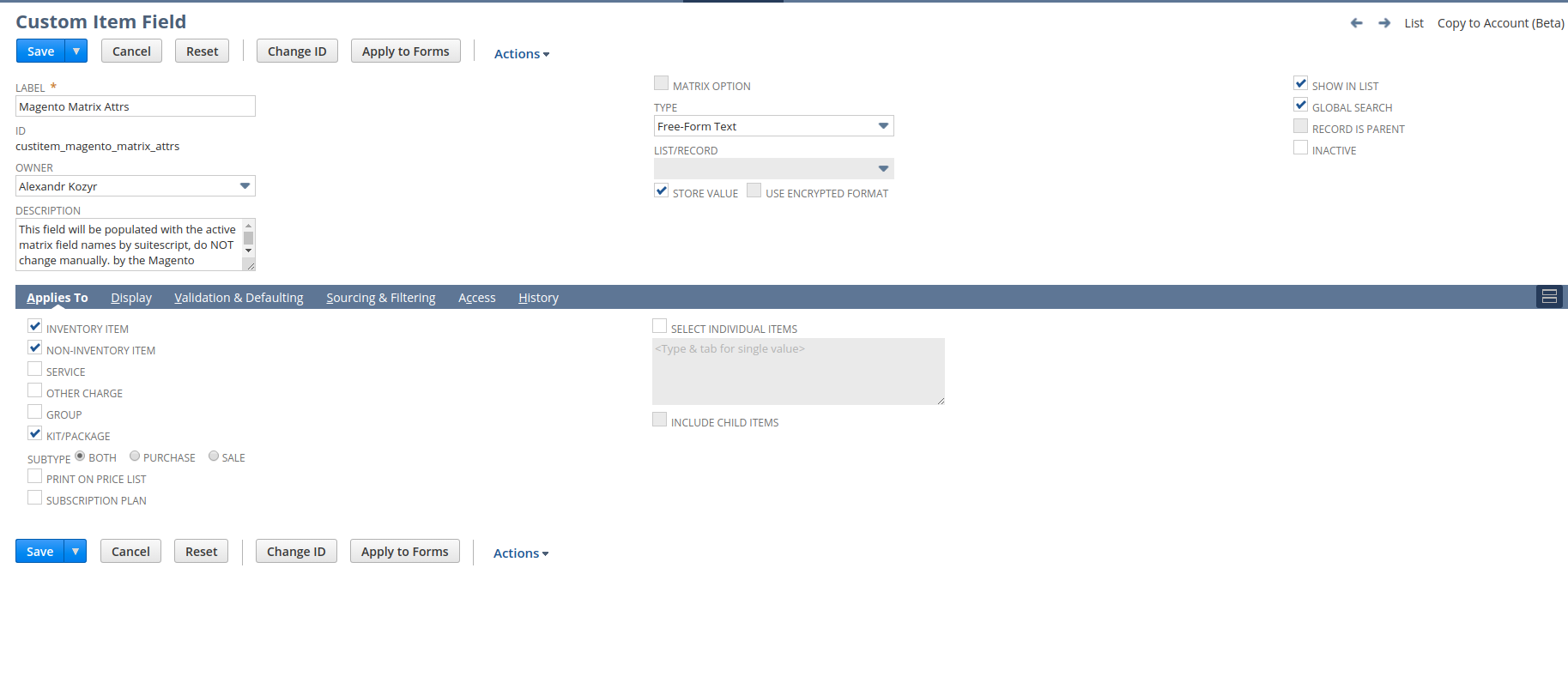
- Create an additional custom field - Magento Matrix Attrs
- navigate to Customization→Lists, Records, & Fields→Item Fields→New
- add information for the custom Item field:
- Label - Magento Matrix Attrs;
- ID - _magento_matrix_attrs
- Owner - you;
- Description - "This field will be populated with the active matrix field names by suitescript, do NOT change manually. by the Magento Connector.";
- Type - Free-Form Text;
- Check "Show in List" and "Global Search" checkboxes;
- Tab "Applies To" - check "Inventory Item, Non-Inventory-Item,Kit/Package";
- Tab "Display" - choose the position for the field (Subtab, Insert Before) and add help message - "Automatically populated with the ids of the matrix children by suite scripting,do not change manually. Need by the Magento Connector."
- as a result you should have next form -
- save it.
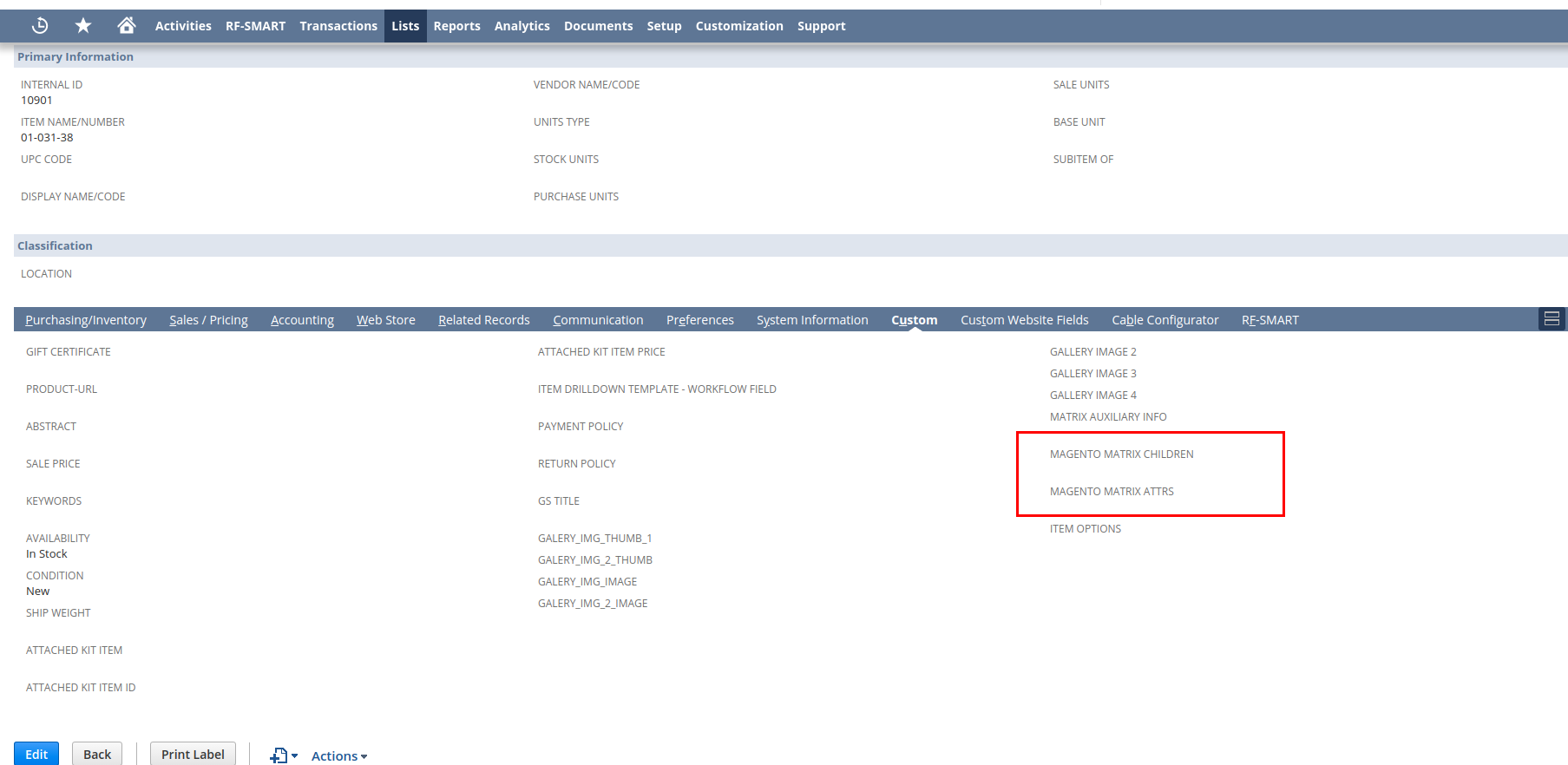
- Check any of Items for the added fields:
- Add custom script to the NS
- navigate to Customization->Scripting->Scripts→New
- at the next step upload Rocket Web Custom script -
SaveDataForMagento2.js - press "Create Script Record"
- at the following step - choose script type as "User Event"
- fill in the next form :
- name - "Save data for Magento";
- ID - _save_data_for_magento;
- Description - "User event script which populates: custitem_magento_matrix_children custitem_magento_matrix_attrs"
- Tab "Scripts", Script File - should be chosen script from 4b step
- Tab "Scripts" Before Submit Function - "userEventBeforeSubmit"
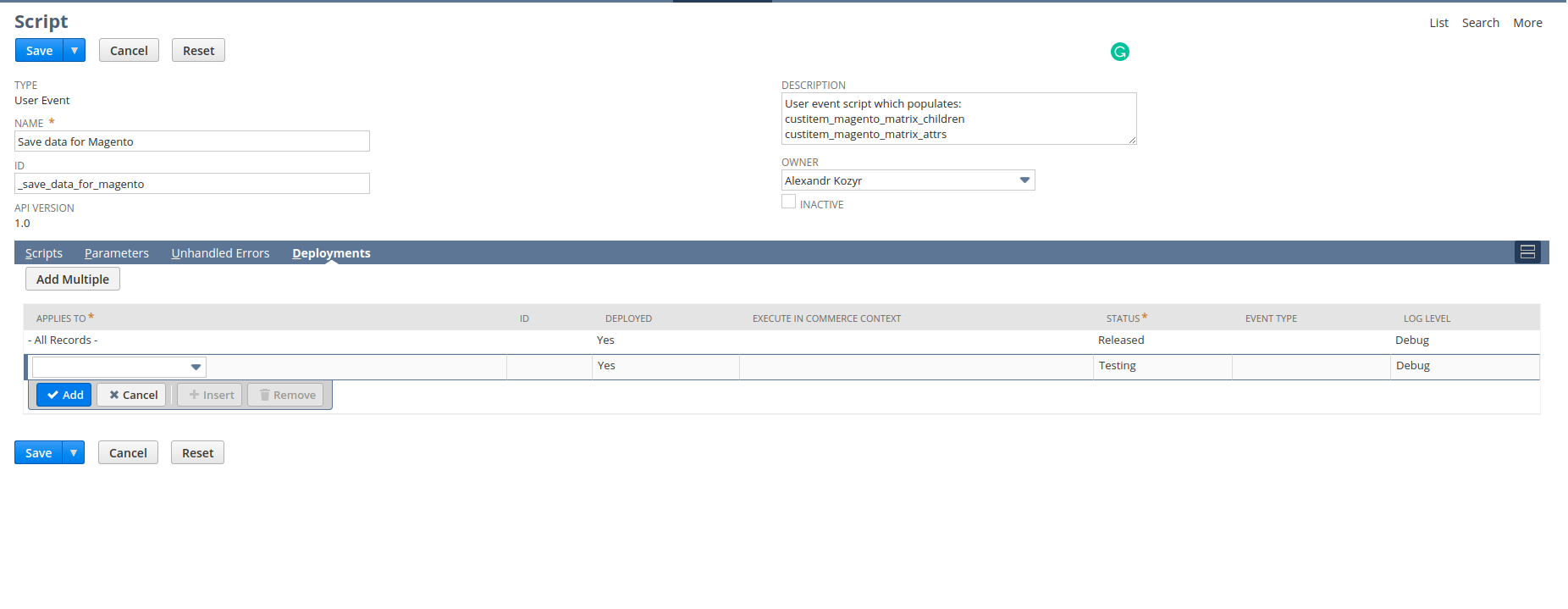
- Tab "Deployments" - add line with next information
- Applies To - "- All Records -"
- Status - "Released"
- AS result you should have next form :
- save it
- Check the setting doing next :
- find existed Matrix Item
- edit and save without changes
- our custom fields should be populated with additional data
- Now you can set up Rocket Web NC at Magento side.
No comments to display
No comments to display