
General architecture
Used technologies
The NetSuite connector is implemented as a Magento extension, 100% open source. It does not use any external service other than the NetSuite instance it communicates with.
The communication with NetSuite happens via SuiteTalk , which is a SOAP service. It makes use of the PHP Toolkit , a light wrapper over SOAP provided and maintained by NetSuite.
Possible Flows
In all cases, NetSuite is assumed to be the "master".
Product synchronization: Product data is imported from NetSuite, it is assumed the catalog is managed there. However, it is possible to have specific product fields unmapped, allowing you to change information directly in Magento, i.e. you may decide to do category association directly in Magento.
Stock synchronization: Stocks are always pushed from NetSuite to Magento, never the other way around.
Order synchronization: A new order is pushed from Magento to NetSuite. Further changes to orders in NetSuite are synchronized back in Magento (i.e. status changes, order edits).
Invoice synchronization: Any invoice created in Magento is pushed to NetSuite as a cash sale or invoice. Any cash sale/invoice created in NetSuite is pushed back to Magento, considering that the parent order came from Magento.
Fulfillment synchronization: Any fulfillment in NetSuite done on an order that came from Magento is pushed to Magento as a shipment. Magento-created shipments are never pushed to NetSuite.
Disabling Flows
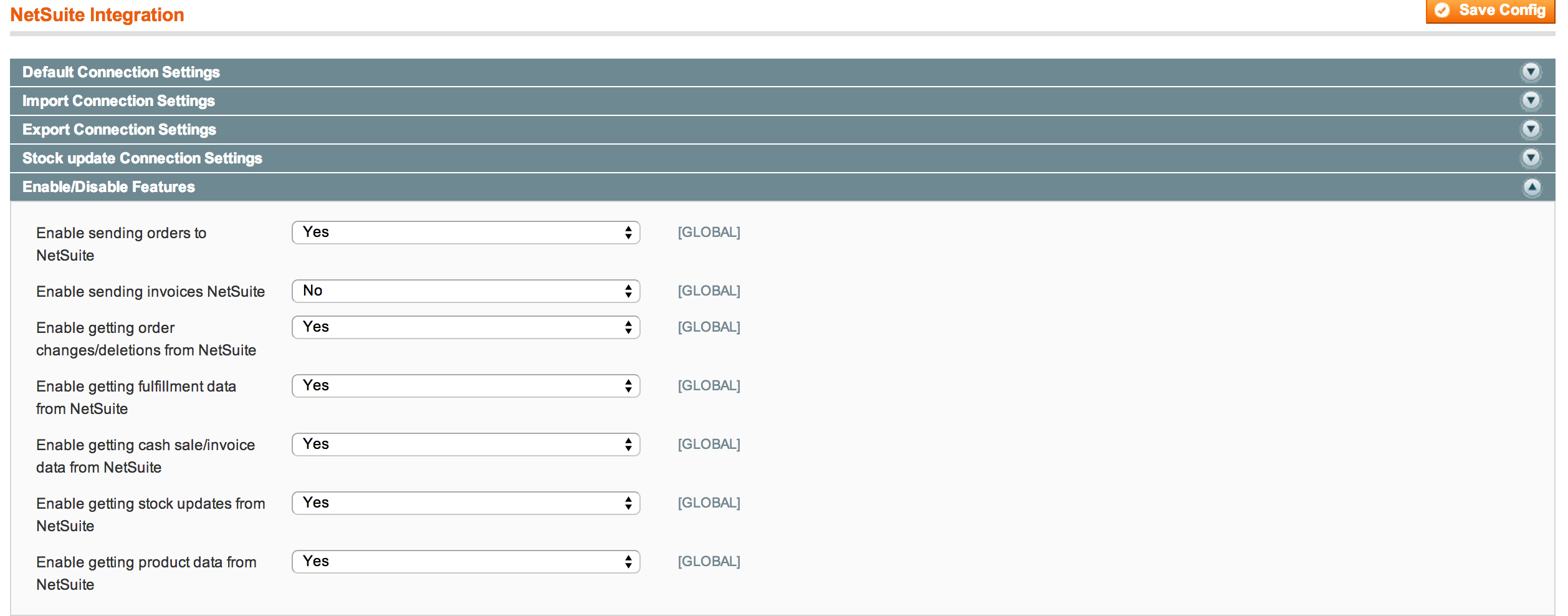
In case you don't need all flows above, they can be disabled in the connector's configuration screen:
Queueing
All NetSuite operations are queued providing 2 advantages:
- Since no NetSuite communication happens synchronously, there is no slowness or down time for the website in case the NetSuite instance is slow or down.
- In the event an error occurs, the item (i.e. order, invoice) is kept in the queue. An error message is triggered and you get the chance to investigate, fix, then push the item without losing it.
There are 3 different queues:
- import
- export
- delete (contains delete operations you may be doing in NetSuite)
The queues can be visualized at NetSuite->Import Status/Export Status/Delete Status. If you see an item in any of the queues, it means that it was not processed yet.
Object Mapping
| Magento object class name | NetSuite object class name, as defined by SuiteTalk |
|---|---|
| Mage_Catalog_Model_Product | InventoryItem |
| Mage_Sales_Model_Order | SalesOrder |
| Mage_Sales_Model_Order_Invoice | Invoice or CashSale (configuration option) |
| Mage_Sales_Model_Order_Shipment | ItemFulfillment |
No comments to display
No comments to display