
FTP Uploads
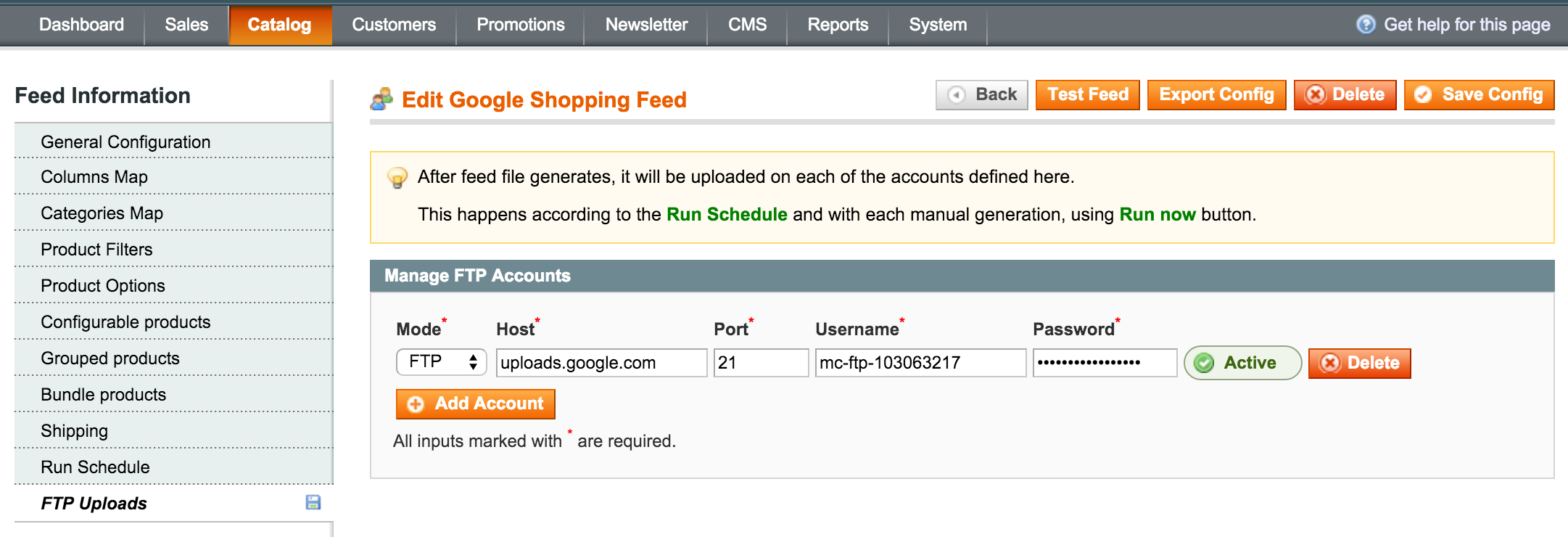
FTP accounts defined here are used to upload the feed file whenever it completes to an account created with a marketplace provider. Uploads happen based on the Run Schedule or whenever you generate the feed manually. (see Fig 9.0)
In order for the uploads to work, your server needs to have the cron.php set. Check Installation & upgrades for details.
Check with the marketplace provider if FTP account is available for uploading the feed file, and if it's not available you can still hand them the file which is web accessible.
To create a schedule use the Add Account button and fill in the fields:
- Mode
It is recommended to use SFTP whenever is available. - Host
Do not put in the protocol prefix, i.e. ftp:// - Port
For ftp the regular port is 21, if not specified otherwise. - Username & Password
Is the login for the ftp account. - Upload Path
This field is only visible for generic feeds, and usually, it is not required. It is the relative path to the directory where the file should be uploaded.
Click the Validate button for each account you add, and once the account validates, don't forget to Save Config.
Fig 9.0 FTP Uploads
No comments to display
No comments to display