
Migration to another magento
Easy migration is useful to push live feeds that where tested on a staging magento instance.
- Destination magento instance should have the same feed extension version installed.
To check hte extension version navigate to Admin > System > Configuration > Rocket Web Extension > General > Installed Extensions. Export feed configs.
This needs to be carried out on staging (source) where your feeds have been configured.
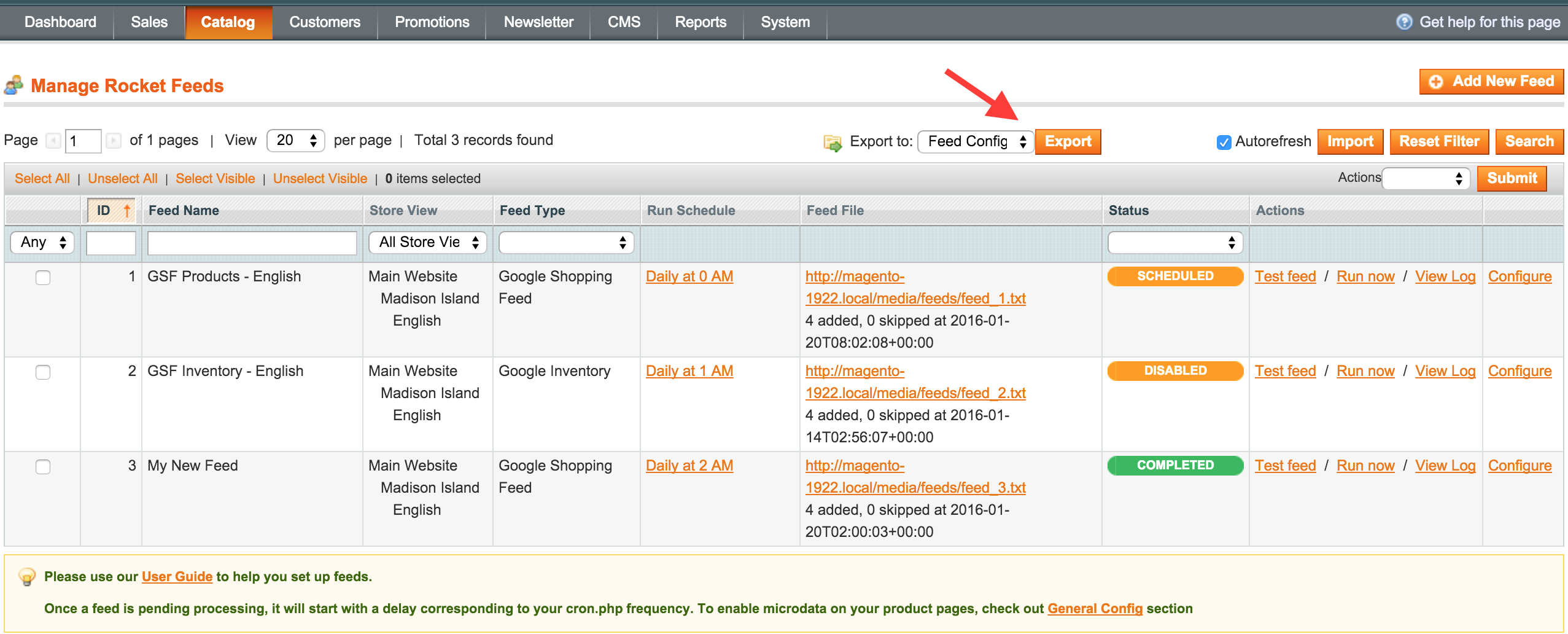
Navigate to feeds management screen and select the feeds you want to migrate from the grid, then click the Export button at the top of the grid.An xml file containing feed configuration is prompted for download. (see Fig 9.3)Fig 9.3 Export feed configs
Import the XML.
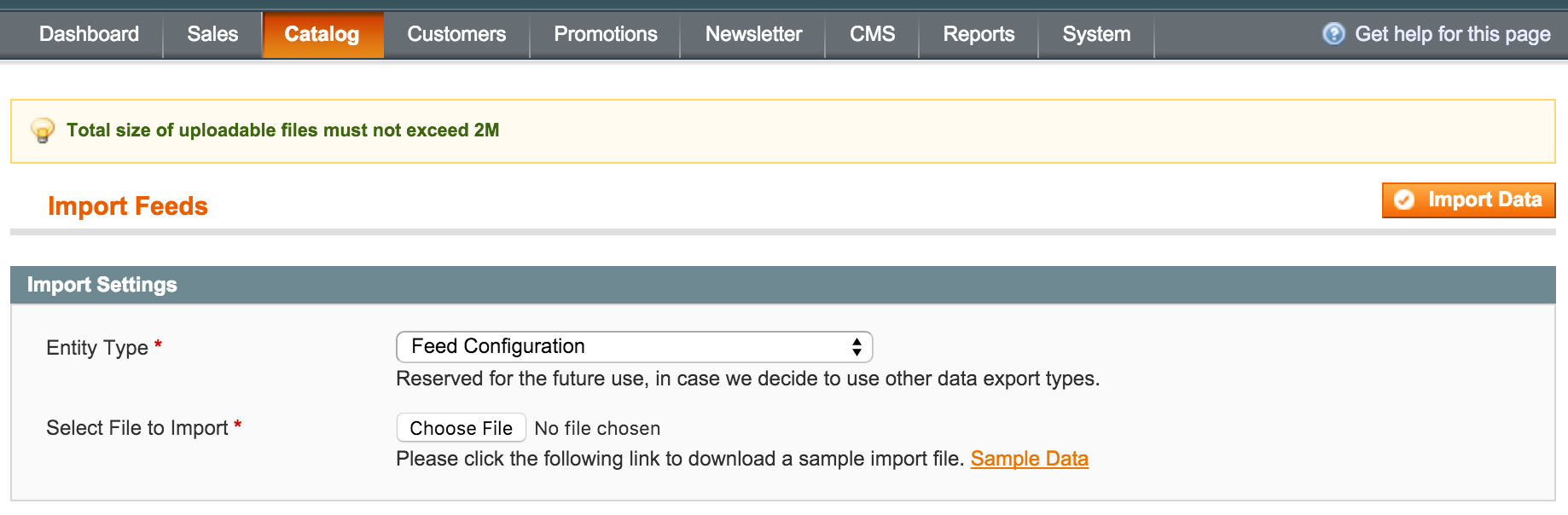
On the target magento (live), click the Import button at the top of feeds management screen. A screen will come up asking you to Select File to Import, where you will upload the file previously downloaded from staging.
Next, click the Import Data button to complete the action. (see Fig 9.4)
Fig 9.4 Import XML
To validate the migration, generate the feeds you just imported and compare the output with the one on staging.
No comments to display
No comments to display