
Home
Sample homepage structure:
- product introduction section (including short description, main CTA),
- list of key features,
- Recommended by Google + badges,
- support overview with link to documentation/tutorials,
- user reviews or testimonials
Jakub's proposed structure:
Proposed website structure (header links):
- Home
- Features
- Support
- User Guide (external link: Getting started)
- FAQ
- Tutorials
- Service Desk (external link: https://jira.rocketweb.com/servicedesk/customer/portal/6/user/login?destination=portal%2F6)
- Buy (external link: RSF page on Xtension Galaxy)
- Extension
- Features
- Installation & Configuration Services
- Changelog
- Support
- User Guide
- FAQ
- Tutorials
- Service Desk
- About Us
- Magento Certified
- Terms and Conditions
- Privacy Policy
- Contact Us
NEW Content (4/6)
Badges
- Add badges from bottom of page to white space below About Developer.
- Resize images to fit comfortably in the space
Testimonials
- Once testimonial image should be sufficient. We should focus on a mixture of content and images for better conversion rates and SEO purposes
- Good testimonial to use..."The module has been perfect for our store and the support has been faultless. It's updated frequently to coincide with any Google changes/requirements and its straight forward to configure. Thanks"
Add in More Info For Installation/Configuration
- There has been confusion from some customer purchasing installation + configuration, so a clearer explanation would be beneficial
- Adding something just below where the installation is purchased will make it very clear what the customer is purchasing
- Example from Tony: "We offer professional installation and configuration, this service includes: extension installation via FTP or SSH - CRON implementation - Extension Optimized Configuration - Google Merchant Setup and Submission"
FAQ Section
- Adding in FAQ is great for addressing common customer questions
- This helps support focus on more difficult questions
- Below are a list of questions and answers to customer inquiries that Tony has compiled
Question:
I have installed the extension but it is not appearing my Magento Admin
Answer:
Attempt to re-install the extension, make sure no steps from installation wiki is missed. Logout and log back in to clear admin user permissions. If the issue has not been resolved, please contact our support desk.
Question:
After installation of the extension I am receiving an error saying "No heartbeat detected. Feeds won't generate, please check that the Magento CRON is running."
Answer:
Please check that the CRON is setup properly. Please refer to http://devdocs.magento.com/guides/m1x/install/installing_install.html#install-cron for implementing the CRON.
Question:
I have several errors in my Merchant Center. How do I troubleshoot the feed file?
Answer:
Please download the full report from the Merchant Center and review the errors. In the extension, you have the ability to test a SKU or byproduct id. Take a look to see if there are missing attributes or incorrect data. The most common errors or warnings are missing: shipping data, tax, color, size, age group, gender, product type, and product category. You can take a look at our user guide for help. This is found at https://rocketweb.atlassian.net/wiki/display/RSF/Rocket+Shopping+Feeds
Question:
I am receiving errors regarding my pricing and inventory stock status.
Answer:
Please make sure that the CRON is implemented properly and that the latest feed file is being generated. In most cases an old feed file is being submitted to the Google Merchant Center. Also, if prices are changing often in the catalog, activate microdata for automatic item updates.
Question:
I am unable to locate my extension download or files. It is no longer available to download in my account.
Answer:
When you purchase the extension you get 90 days of FREE support and access to upgrades. After 90 days, you will be unable to download the extension directly from your account. Please contact support and we will provide you with the latest extension version that would have been available to you.
Here are some Ideas for the Home Page for RSF.com...It also doesn't have to be in this particular order.
Product Introduction/CTA
- RocketShoppingFeeds.com is a product feed management service from Rocket Web. Rocket Web built the highly recommended Google Shopping Feed extension for Magento which has been used to generate dynamic product feeds for nearly 10,000 stores. Rocket Shopping Feeds is the future of product feed management for Magento with options for Google, Bing, ShareASale, adhoc custom feeds and more options every month. We believe that Rocket Shopping Feeds should be the only product feed tool you need in your Magento store.
- With all the power and flexibility of the Rocket Shopping Feeds product comes a bit of a learning curve to take advantage everything. For those that are comfortable using our documentationRocket Shopping Feeds and working through any issues that may arise themselves, head over to our product page on https://xtensiongalaxy.com/google-shopping-feed.html to purchase and instantly download the extension. If you prefer to have our team take care of everything for you, we can do that as well.
- Each member of our product feed management team has SEO and internet marketing experience. Don't just get your feed live, build your feed right up front and enjoy the increased attention.
We could potentially simplify these descriptions above into "snippets" or "blurbs" for the introduction portion of the home page as well as the main CTA.
- Examples: "Build Your Feed Right Up Front" , "Only Product Feed Tool You'll Ever Need" , "Recommended by Google Adwords Team" , "Sit Back and Relax While We Take Care of Installation & Configuration"
List of Key Features
- List bullet points of 3 to 5 key features
- "Learn More" in-bound link that sends you to the more in-depth features page
Recommended by Google/Badges
- Use an Image that stands out, perhaps contrasting colors to really pop and grab the viewers attention.
- We could use the same image from Xtension Galaxy Product Page
- Write a short description explaining why the Google Adwords Team recommends our product.
- At the ending, perhaps put a question (ex. Google is by far the most used search engine and platform to grow your business so why not use the only feed extension that is recommended?)
This is also where we can put the Rocket Web Awards Badges.
Right below or above the badges we should explain why this extension being engineered by Rocket Web is a big deal. We could really gain peoples trust by explaining to them that Rocket Web is the "Apple, Microsoft, Google, you name it" of Magento and Rocket Web will also be there to help you with support.
"Trusted by Thousands" or Trusted Brands"
- Display logos that are in one color element
- Only display logos of bigger named magento companies who are using our extension
- Please refer to this page for an example - https://www.sweettoothrewards.com/
If potential customers see that these bigger brands are using our extension, they will be more inclined to make the purchase.
Data/Charts/Success Story
I'm not sure if this data is collected yet, or can be collected, but if we are able to get a nice success story right on the front page that could help out with conversion.
Example - "John Smith was able to increase his sales by up to 20% within the first month of using Rocket Shopping Feeds"
Testimonials
- This one should be pretty self explanatory
- Testimonials and/or positive reviews can go here
Examples:
-Michael E:
The software is amazing no issues ever and always works...
You guys went above and beyond to help me...The product is amazing..could not be happier.
-Paul R:
I am so glad I purchased the rocketweb google shopping feed plugin. It's 100 times better than the previous plugin I used, wish I would have found you guys to start with. Excellent support as well, much appreciated.
-Gio W:
Overall great support with this extension. I'm very satisfied.
-Louise W:
All is good, thank you so much for your help. Excellent support.
-Julian P:
Great Thanks for all the help. I will be happy to write a great review for you and your company once i am up and running.
-Jim K:
Thank you.We appreciate the assistance as you can imagine this is severely impacting the performance of our shopping campaigns.
-Sylvia A:
You guys are amazing, ! Thank you SO much for your time. You're so helpful.
-Danny B:
I purchased your extension and it looks great.
-Xan H:
Thanks! I appreciate all your help. any place I can review something for you to give your extension 5 stars.
Call to Action
At the very bottom of the page, we can have some type of call to action. This can also display a flat button that says "Learn More" , "Buy Now" , "Increase Your Sales Today" or etc.
This is where we need to try and convey something that will get them to commit to the next step and that directs them to Xtension Galaxy to make the purchase.
If we decide to use a "tangible software box" it could also go in this section. Otherwise, the Rocket Ship should suffice
- ex.
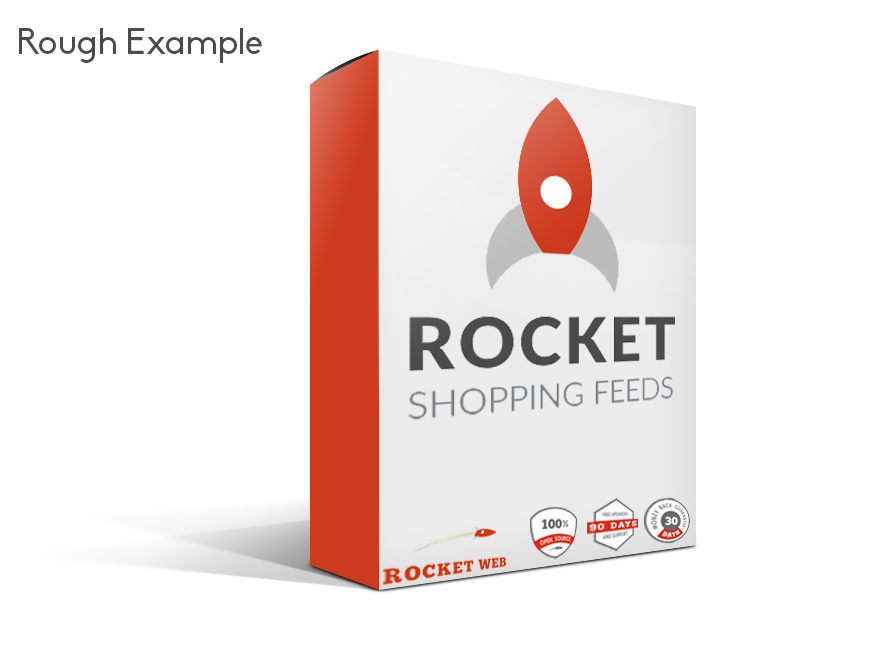
Update 5/6
Intro Paragraph Under Main Image
I think the 2nd paragraph on the Homepage should be a little longer and more assertive.
Currently
We believe that Rocket Shopping Feeds should be the only product feed tool you need in your Magento store.
Suggested Change
Find out what all the buzz is about. Rocket Shopping Feeds is the only tool you need in your Magento store. Use our turn key solution to improve your customer base and increase revenue.
Feature Icons Description
The wording for the sentences under the Features Icons sound too similar. Would look better mixing it up a bit.
Currently
- Support multiple feeds for the same store
- Multiple currency per store support
- Everything Google wants
Suggested Change
- Redesigned Feed Management Interface
- FTP Uploads Support
- Generate On Demand Feeds from Magento Admin
Imported Confluence comments (15)
Jakub Kulig (Unlicensed) 2016-03-31
We should also add Support section, somewhere further down the bottom where we can add links to wiki, FAQ and additional support (Installation & Configuration Services) pages. Matt MacDougall, do you think we'll be able to add Trusted Brands and Data/Charts sections? I don't know if we have any data for those.
Matt MacDougall 2016-03-31
Jakub Kulig (Unlicensed) we could come up with some logos for trusted brands, just need to go through the customer list and pick a few. We don't have any data/charts info.
Vince Malfeo (Unlicensed) 2016-03-31
Let me know if you guys decide on a few customers, I can make sure all the logos use the same elements as described by Jakub on the "Design Direction" Page.
Jakub Kulig (Unlicensed) 2016-04-01
Matt MacDougall Vince Malfeo (Unlicensed) Corey Schmitz (Unlicensed) please review the home page draft in its very rough shape that I created based on the content that we gathered so far: http://dev.rocketshoppingfeeds.com.
Please ignore styling for now and focus only on information architecture. Feel free to suggest any modifications to the existing structure. Note that all home pages sections, being separate modules, can be easily rearranged or disabled.
Design-wise the goal here is to have something similar to https://www.sweettoothrewards.com/ or https://getgrav.org - a modern look with minimum amount of content with links to appropriate sections of the site, lots of white space and very simple imagery.
Corey Schmitz (Unlicensed) 2016-04-01
If we are using Sweet Tooth as a model, I think adding a personalized customer testimonial would be more impactful than a slider with a few companies that use our product, or quotes taken from the Magento or Rocket Web site.
Customers are really looking for a connection with their business partners, and a quote from John S. that he loves the product is nice, but no one knows who that is or how it specifically helped him improve his business.
Creating a testimonial with the customer's picture, a few sentences about why they love the product, and then list some data regarding website performance like on Sweet Tooth would be my suggestion. Including info about how much they increased revenue, avg sale price, and website traffic should really demonstrate the value of the feed.
Matt MacDougall 2016-04-04
Corey Schmitz (Unlicensed) I agree, we should add more in depth testimonials. Problem is, we don't have it now and I doubt we'll have it for launch of this site. So for now, we need to work with what we've got. Keep an eye out for a customer we could approach for expended testimonials though.
Jakub Kulig (Unlicensed) 2016-04-14
While looking for some temporary placeholder imagery I found this interesting illustration (https://pixabay.com/en/evening-sun-sunset-back-light-mood-55067/) that we can potentially use as background on the homepage like so: http://dev.rocketshoppingfeeds.com
What do you guys think, can we use it or should we ask Brian to create something for this page?
Matt MacDougall Corey Schmitz (Unlicensed) Vince Malfeo (Unlicensed)
Corey Schmitz (Unlicensed) 2016-04-14
Definitely! Adding an eye-catching background would be great. Did you have a few favorites among those images?
Jakub Kulig (Unlicensed) 2016-04-14
This was the only one that caught my eye. I was looking for space-themed illustrations but didn't find any decent ones. If you have any suggestions on what else we can put here, feel free to share.
Corey Schmitz (Unlicensed) 2016-04-14
I like that image. Colors match up well with the site design and Rocket Web logo.
Vince Malfeo (Unlicensed) 2016-04-14
That image looks really good, color scheme matches perfectly like Corey mentioned.
Matt MacDougall 2016-04-14
Jakub Kulig (Unlicensed) we can't see local. Can you post a screenshot?
Jakub Kulig (Unlicensed) 2016-04-14
My bad, I pasted the wrong link.
Matt MacDougall 2016-04-14
nevermind, I see http://dev.rocketshoppingfeeds.com/ Jakub Kulig (Unlicensed) ... looks great
Vince Malfeo (Unlicensed) 2016-05-05
On rocketshoppingfeeds.com, I went ahead and changed the testimonial from “Paul R” under “Still Not Convinced?” to reflect “rocket shopping feeds”. It previously stated Google Shopping Feed.
No comments to display
No comments to display