
Configurable Products
How to add associated products
This option specifies how configurable associated items will be processed. It has three options:
- Only parent / No associated products
- No parent product / Only associated products
- Both types - parent product and associated products
The recommended option for a google shopping feed is to use the option No parent product / Only associated products, which would list all associated items of the products but miss the configurable itself.
In order for this option to work, configurable type has to be selected under the Submit only products of these types under the Product Filters section, regardless of the option you choose here.
Fig 15.1 Configurable Products Tab
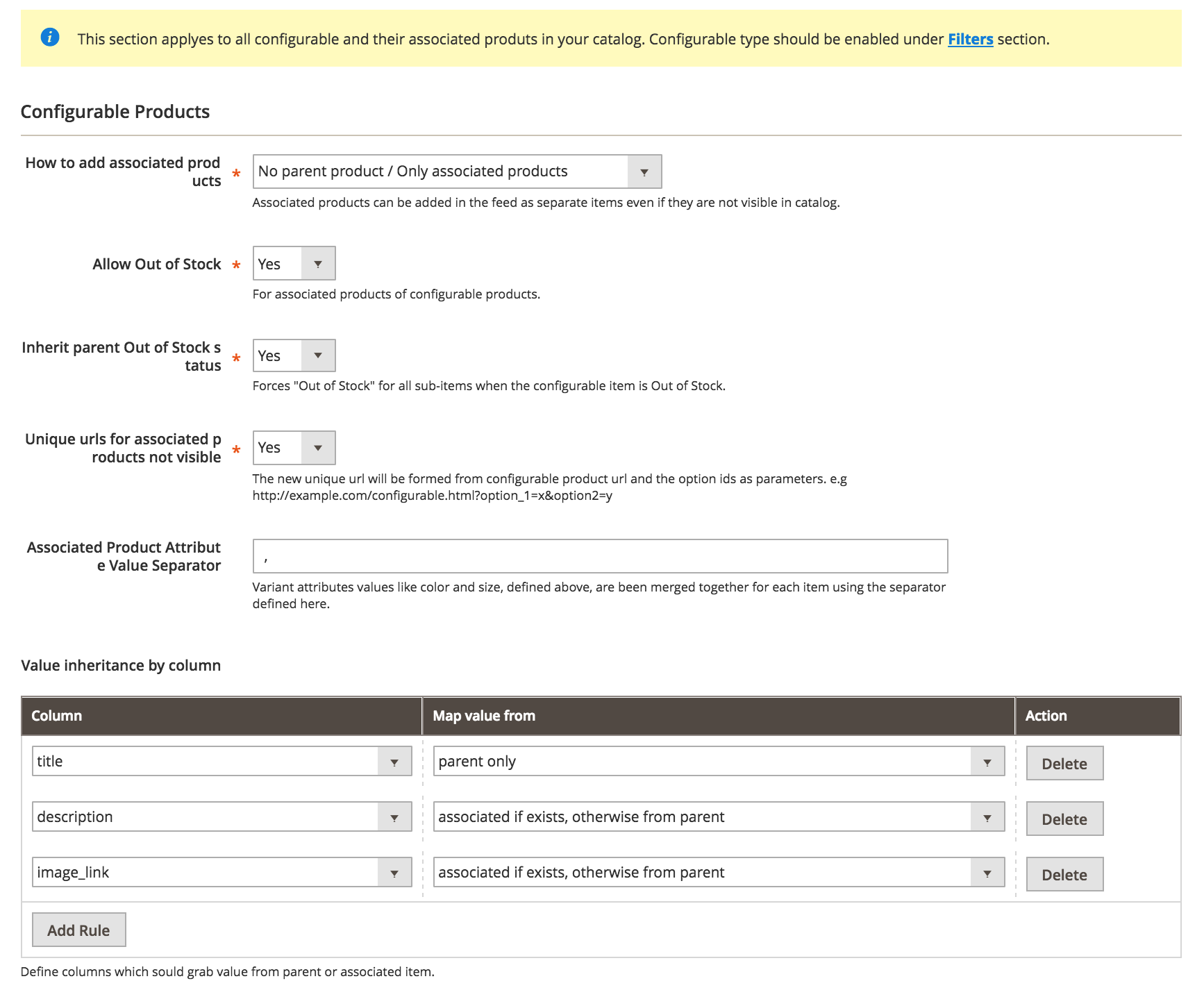
Allow out of stock
This option can filter out associated items that are out of stock, regardless of what's been set under Allow Out of Stock setting from Product Filters section. The goal is to allow you to remove out of stock associated items even if you want to include regular out of stock products.
Inherit parent Out of Stock Status
Dictates how the parent configurable item will behave when all associated items of a configurable are out of stock, the configurable itself will become out of stock. It will not do the same for in stock items.
Unique URLs for associated products not visible
When associated products are not visible in catalog on their own, they are accessed through the configurable item URL, making it hard to tell which products we're targeting. Activating this option make a unique URl for each of those options by appending them to the configurable URL as extra parameters..
Ex: http://example.com/configuable.html#93=49&142=167
The appended parameters after #, corresponds to options of the product. Those options need to be mapped in the Columns Map, for instance color and size would have to be mapped in the feed.
When accessing this kind of URL, there's a special logic on products page automatically selecting drop-downs or radio buttons to reveal the intended product details: image, price, etc.
Associated Product Attribute Value Separator
When parent products are added to the feed, the variant information like color and size is been composed using all possible values that their associated items could take. To list all of them, a separator is been used, and it can be specified here.
Ex: color = blue, yellow, brown
This option only works for columns using the Variant Attributes directive in the Column Map.
Value inheritance by column
When associated products are included in the feed, sometimes they might be missing critical information, like image, description, etc.
This section allows you to define columns which may output empty to grab it's value from parent or a fallback between parent and associated itself.
No comments to display
No comments to display