
Grouped Products
How to add associated products
This option specifies how items of grouped products will be processed. It has three options:
- Only parent / No sub-items
- No parent product / Only sub-items
- Both types - parent and sub-items
In order for this option to work, grouped type has to be selected under the Submit only products of these types under the Product Filters section, regardless of the option you choose here.
Allow Out of Stock
This option can filter out sub-items that are out of stock, regardless of what's been set under Allow Out of Stock setting from Product Filters section.
Fig 16.1 Grouped Products Tab
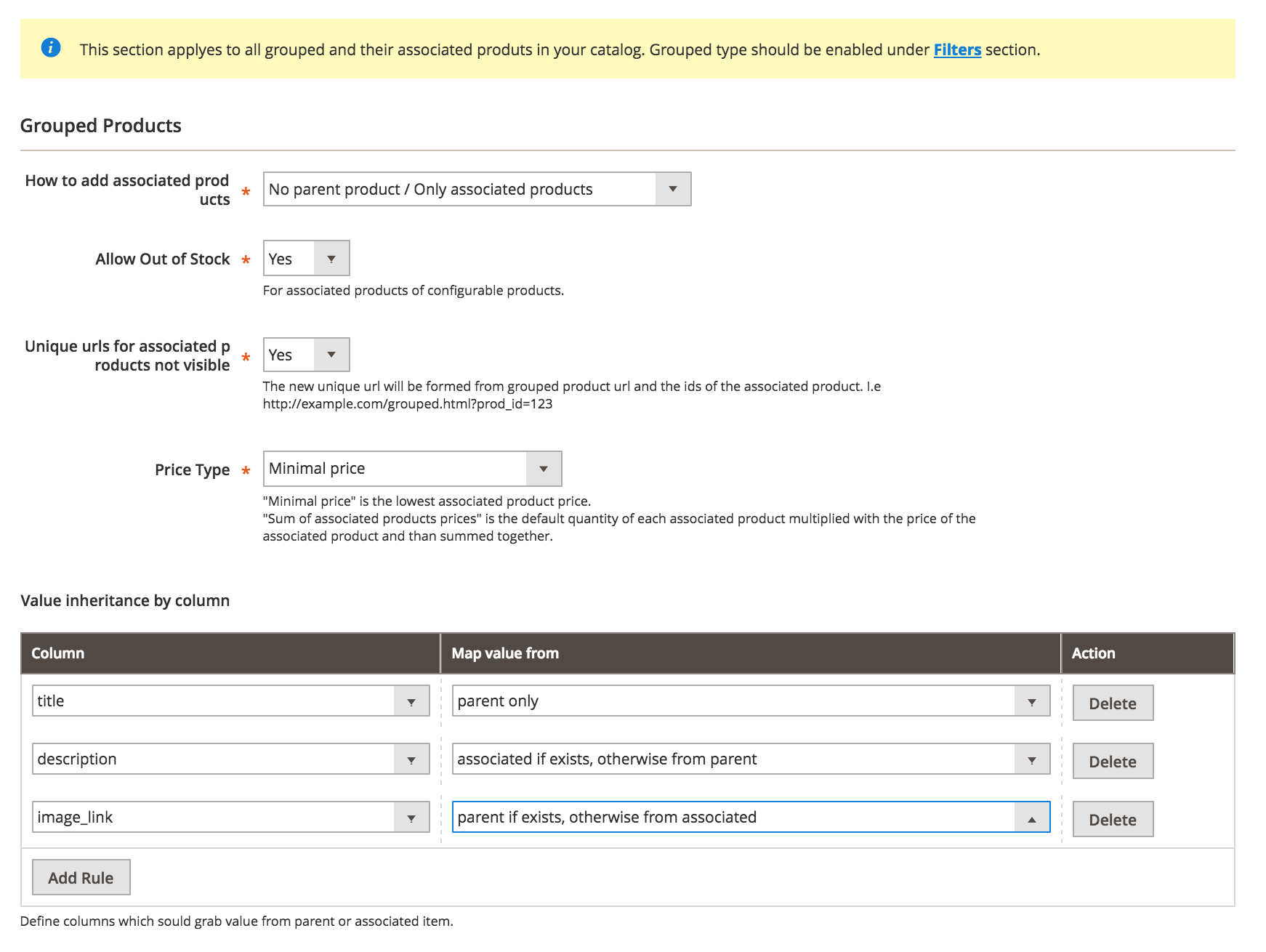
Unique URLs for associated products not visible
Activating this option will append extra parameters to the URL, making it unique and indicating the product we want to point out.
Ex: http://example.com/grouped.html#prod_id=123
Price Type
Defines how the price of the grouped product will be computed. It can be:
- Minimal price
- Sum of associated product prices
Minimal price is the lowest associated product price.
Sum of associated products prices is the default quantity of each associated product multiplied with the price of the associated product and then summed together.
Map columns from parents
When associated products are included in the feed, sometimes they might be missing critical information, like image, description, etc.
This section allows you to define columns which may output empty to grab it's value from parent or a fallback between parent and associated itself.
No comments to display
No comments to display